
Find what’s nearby.
Find your AirPods, headphones, watch, or any other Bluetooth device nearby.
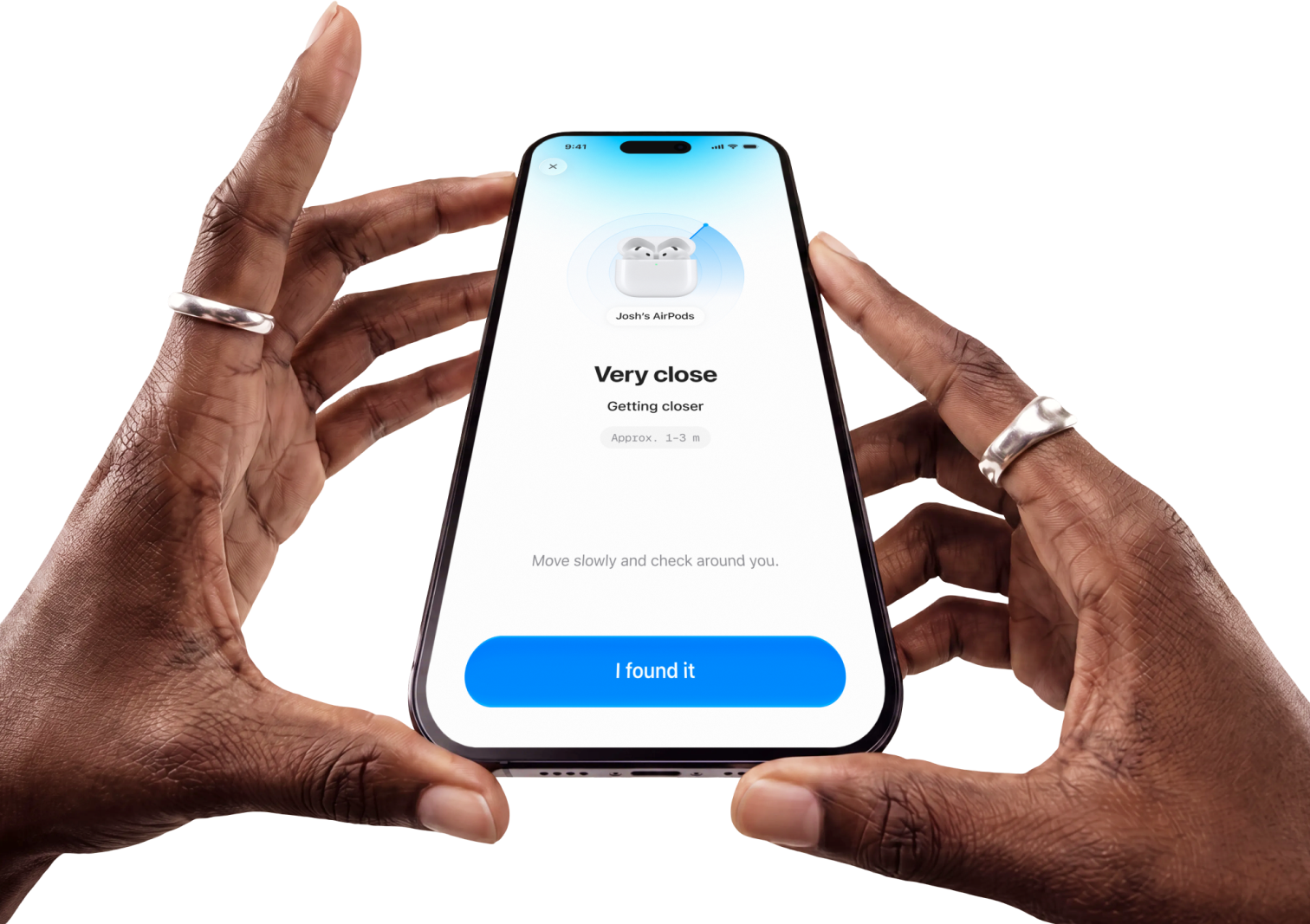
Findr follows its live signal and guides you closer.
 Download on iOS
One app for the things
you keep losing. AirPods,
headphones, watches, and
everything hiding nearby.
Choose the device you’re looking for and start moving. Findr reads its Bluetooth signal and turns it into simple guidance you can actually follow.
-
Scan nearby
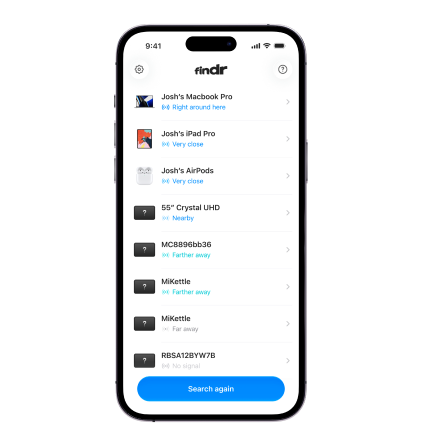
Findr discovers Bluetooth devices around you.
Pick your device
Follow the signal
Questions? Answered.
Can Findr locate my AirPods?
Yes, as long as they’re nearby and actively broadcasting a Bluetooth signal. If they don’t appear, try opening the case or taking an AirPod out and scanning again.
Can Findr find a device that’s turned off?
No. Findr follows a device’s live Bluetooth signal, so the device needs to be powered on and broadcasting for Findr to see it.
How accurate is Findr?
Findr estimates distance from signal strength, which is best for getting you into the right room and then closer. Walls, bodies and other devices can make the reading jump, so keep moving and watch the trend.
Why does the signal sometimes change while I’m standing still?
Bluetooth signals bounce off walls and furniture and are absorbed by people, so the strength naturally fluctuates. Give it a moment, or move slowly and follow the overall direction.
Does Findr work with every Bluetooth device?
Findr works with most devices that broadcast Bluetooth Low Energy, including headphones, earbuds, watches and trackers. Some devices stop broadcasting when idle or connected, which can hide them.
Is Findr the same as Apple Find My?
No. Find My shows a device’s last known location on a map. Findr helps with the last few metres by following the live signal of a device that’s already close by.
Do I need an account?
No. Open the app, start a scan and pick the device you’re looking for.
Does Findr work without internet?
Yes. Scanning and following a signal happen on your iPhone over Bluetooth, so no internet connection is needed.
